Learning Objectives
- Distinguish registers, cache, RAM, and persistent storage.
- Explain latency versus bandwidth.
- Understand locality and why caches exist.
- Explore how memory bandwidth affects processor utilization.
- Recognize model-size limits in AI systems.
Theory & Fundamentals
Hierarchy. Small memories close to compute are fast but expensive per bit; large memories farther away are slower but provide greater capacity.
Cache. Caches keep recently or frequently used data close to processors, reducing expensive accesses to main memory.
Bandwidth. Bandwidth is the amount of data that can be transferred per second. High-throughput accelerators require high memory bandwidth.
AI models. Large models consume memory for weights, activations, intermediate tensors, and buffers. If the model does not fit, performance may fall sharply or execution may fail.
Unique Visualization
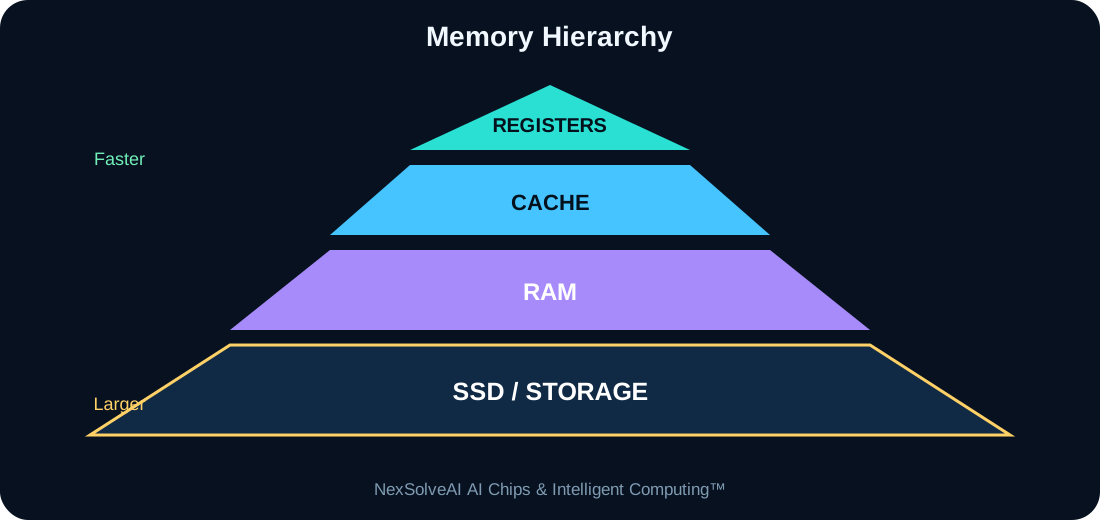
This figure is specific to AC-07 and illustrates the core architecture or dataflow discussed in this lesson.
Interactive Experiment
Cache hit estimate—
Memory pressure—
Data-flow score—
Likely bottleneck—
Compare working-set size with cache and RAM bandwidth.
Real-World Case Study
An edge language model may fit its weights into 8 GB of RAM, but if memory bandwidth is low the NPU can still wait for tensors and fail to reach its advertised compute capability.
Case-study task: Identify the most important compute, memory, power, and data-flow requirements in this example.
Engineering Challenge
Use the experiment to compare a small fast cache with a large slow memory. Explain why both are needed.
Common Misconceptions
- Headline specifications should not be interpreted without workload context.
- Compute, memory, data movement, software, and power interact as one system.
- More hardware resources can show diminishing returns when another subsystem is limiting performance.
Interactive MCQ Quiz
1. Which is normally fastest and smallest?
2. What does memory bandwidth describe?
3. Why do caches help?
Select your answers and submit the quiz.
Nexa AI Chip Tutor™
The future connected tutor can explain Memory, Cache & Storage, interpret this module's experiment, and answer learner questions based on the current settings.
Suggested prompt: “Explain the experiment in AC-07 and tell me why the bottleneck changes when I move the sliders.”
Downloads
References & Further Study
- Computer architecture and digital systems textbooks
- Semiconductor and processor manufacturer educational documentation
- AI hardware, edge-computing, and embedded-systems documentation