Learning Objectives
- Explain instructions, cores, clock cycles, pipelines, and threads at an introductory level.
- Distinguish clock frequency from overall performance.
- Explore how multiple cores help workloads that can be divided.
- Recognize branch-heavy and control-heavy tasks that favor CPUs.
- Estimate relative throughput while observing power trade-offs.
Theory & Fundamentals
Instruction execution. A CPU repeatedly fetches, decodes, and executes instructions. Modern designs overlap these stages and use caches and prediction to keep the pipeline busy.
Cores. A multicore CPU contains multiple processing cores capable of handling separate instruction streams. More cores help only when software can use them.
Clock frequency. GHz indicates billions of clock cycles per second, but one clock does not equal one completed program instruction. Architecture and workload matter.
CPU in AI systems. The CPU often prepares data, controls the application, schedules accelerators, handles operating-system services, and executes tasks that do not map efficiently onto NPUs or GPUs.
Unique Visualization
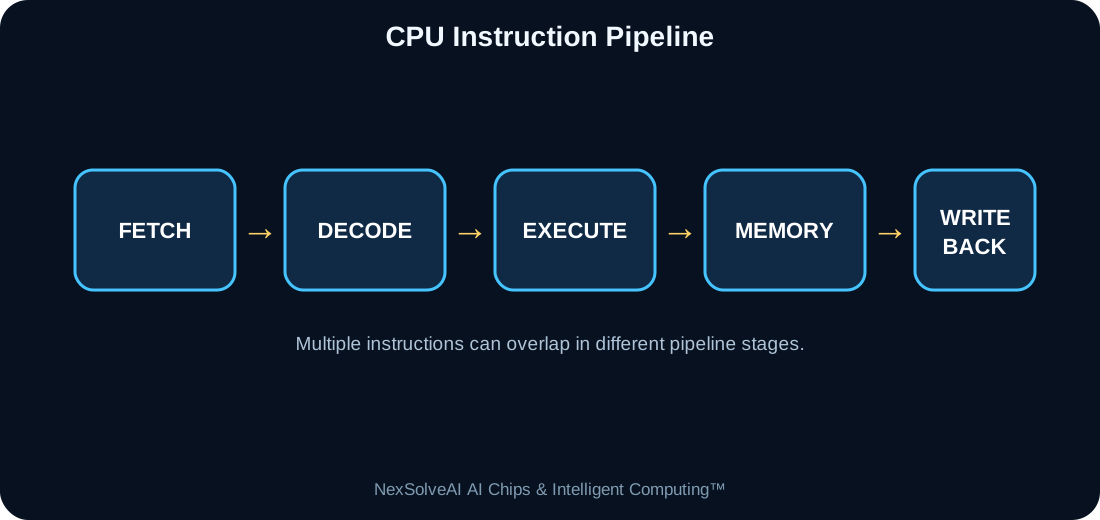
This figure is specific to AC-03 and illustrates the core architecture or dataflow discussed in this lesson.
Interactive Experiment
Relative throughput—
Single-thread score—
Estimated power—
Core utilization—
Compare cores, clock, and workload parallelism.
Real-World Case Study
In an autonomous robot, the NPU may run perception while the CPU handles navigation logic, safety states, communication, logging, and coordination of motors and sensors.
Case-study task: Identify the most important compute, memory, power, and data-flow requirements in this example.
Engineering Challenge
Compare a 4-core 3.0 GHz CPU with an 8-core 2.0 GHz CPU using the simulator. Explain why the answer depends on how parallel the workload is.
Common Misconceptions
- Headline specifications should not be interpreted without workload context.
- Compute, memory, data movement, software, and power interact as one system.
- More hardware resources can show diminishing returns when another subsystem is limiting performance.
Interactive MCQ Quiz
1. What does a CPU core execute?
2. Does doubling GHz always double application performance?
3. Why does a CPU remain important in an NPU-equipped system?
Select your answers and submit the quiz.
Nexa AI Chip Tutor™
The future connected tutor can explain Understanding the CPU, interpret this module's experiment, and answer learner questions based on the current settings.
Suggested prompt: “Explain the experiment in AC-03 and tell me why the bottleneck changes when I move the sliders.”
Downloads
References & Further Study
- Computer architecture and digital systems textbooks
- Semiconductor and processor manufacturer educational documentation
- AI hardware, edge-computing, and embedded-systems documentation