Learning Objectives
- Translate an application requirement into hardware blocks.
- Select CPU, GPU, NPU, RAM, bandwidth, and sensor interfaces.
- Estimate latency, throughput, power, and bottlenecks.
- Compare low-power and high-performance designs.
- Document a complete beginner-level AI system architecture.
Theory & Fundamentals
Start from the application. Hardware requirements should be derived from the workload, data rate, response-time target, power budget, and cost.
Balance compute and memory. Peak accelerator capability is useful only when memory and I/O can supply data fast enough.
Design for constraints. Battery, cooling, physical size, reliability, and connectivity influence architecture.
Iterate. Engineering design is iterative: configure, simulate, identify bottleneck, modify architecture, and test again.
Unique Visualization
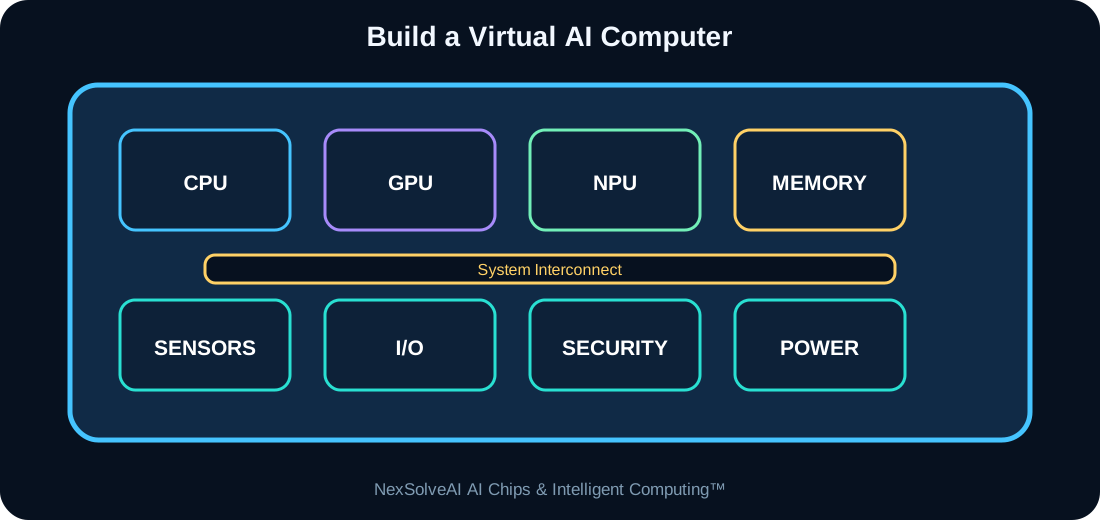
This figure is specific to AC-15 and illustrates the core architecture or dataflow discussed in this lesson.
Interactive Experiment
AI performance—
Estimated latency—
Estimated power—
Primary bottleneck—
Configure a complete beginner-level AI computer.
Real-World Case Study
Design a smart inspection station that uses a camera, local AI inference, an ACCEPT/REJECT output, and an industrial control interface. Compare a low-power design with a performance-focused design.
Case-study task: Identify the most important compute, memory, power, and data-flow requirements in this example.
Engineering Challenge
Create two architectures for the same smart-camera workload: one optimized for power and one for speed. Explain the trade-offs and choose one for deployment.
Common Misconceptions
- Headline specifications should not be interpreted without workload context.
- Compute, memory, data movement, software, and power interact as one system.
- More hardware resources can show diminishing returns when another subsystem is limiting performance.
Interactive MCQ Quiz
1. What should come first in system design?
2. Why must compute and memory be balanced?
3. What is the normal engineering process?
Select your answers and submit the quiz.
Nexa AI Chip Tutor™
The future connected tutor can explain Build Your First Virtual AI Computer, interpret this module's experiment, and answer learner questions based on the current settings.
Suggested prompt: “Explain the experiment in AC-15 and tell me why the bottleneck changes when I move the sliders.”
Downloads
References & Further Study
- Computer architecture and digital systems textbooks
- Semiconductor and processor manufacturer educational documentation
- AI hardware, edge-computing, and embedded-systems documentation